Enter password to view

Behind the AI Agents
Product + Design at Aampe
July 2025 – April 2026
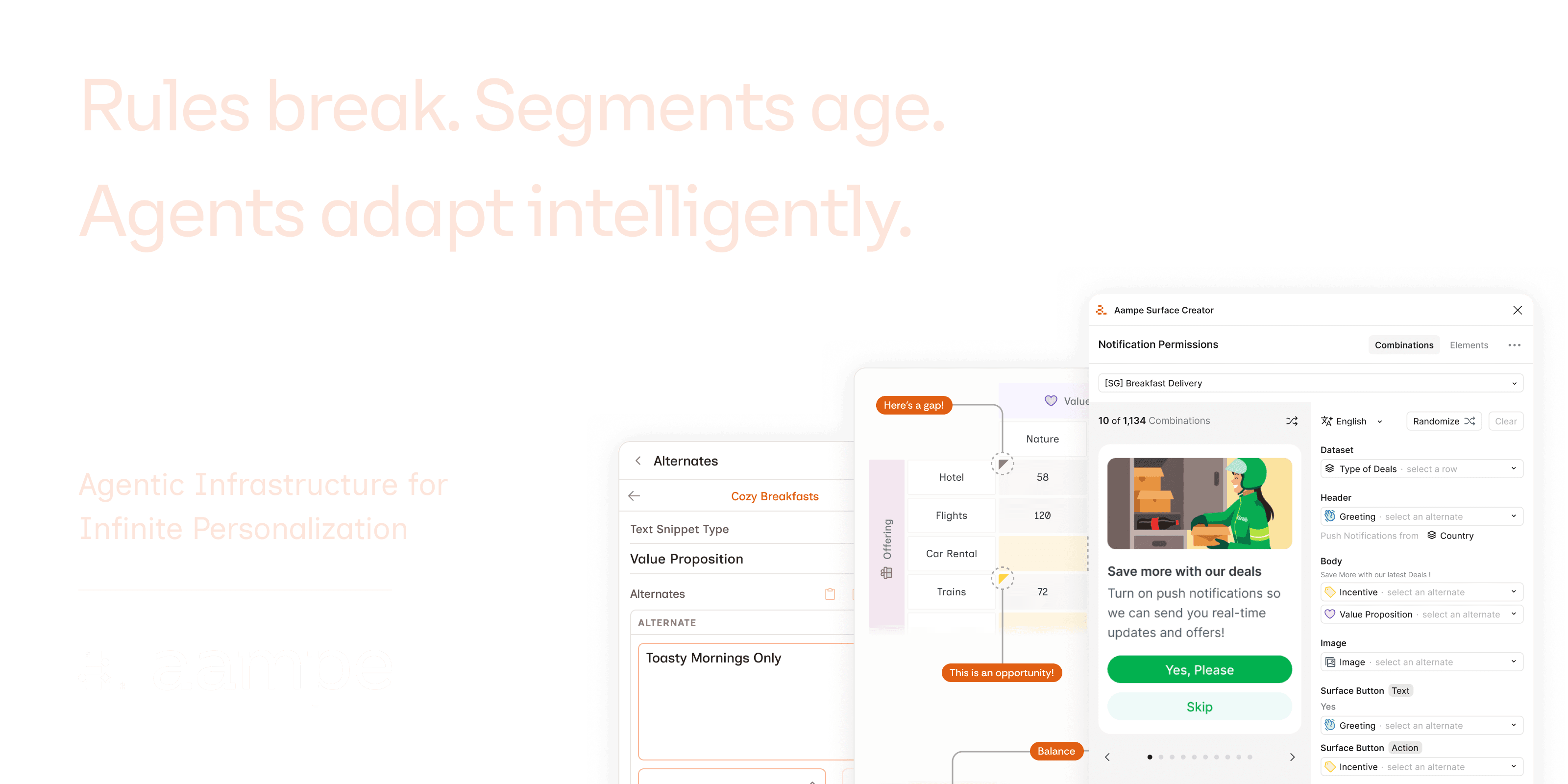
Aampe is agentic personalization infrastructure. One AI agent per user, each learning what that person responds to and acting on it continuously: what to say, when to say it, how to frame it. No manual segments, no campaign schedules, no A/B test queue. At scale, that means managing around 500 million events per day, messaging 10–25 million users daily, and making 15–200 billion decisions per week across product surfaces. Companies like Swiggy, Blinkist, and Deezer use it to move beyond broadcast messaging toward true 1:1 personalization at scale.
Most designers are consumers of product specs. At Aampe, I wrote them. I worked across the full design process: shaping pitches, designing and prototyping, and working with engineers through two-week sprints following the Shape Up process.
The core design challenge was legibility: giving non-technical operators meaningful control over a system making thousands of micro-decisions per day, without flattening it into false simplicity or exposing them to unnecessary complexity.
Yash is the kind of designer that makes a team quietly better.
He brings real product thinking to the work. Not just great ideas, but the judgment to know which ones actually fit the moment. He operates comfortably in the real world, adapting to constraints without losing sight of what the product actually needs.
Calm, rigorous, always growing. I'd work with him again in a heartbeat.
Sami Abboud
CTO and Co-Founder
Content Coverage
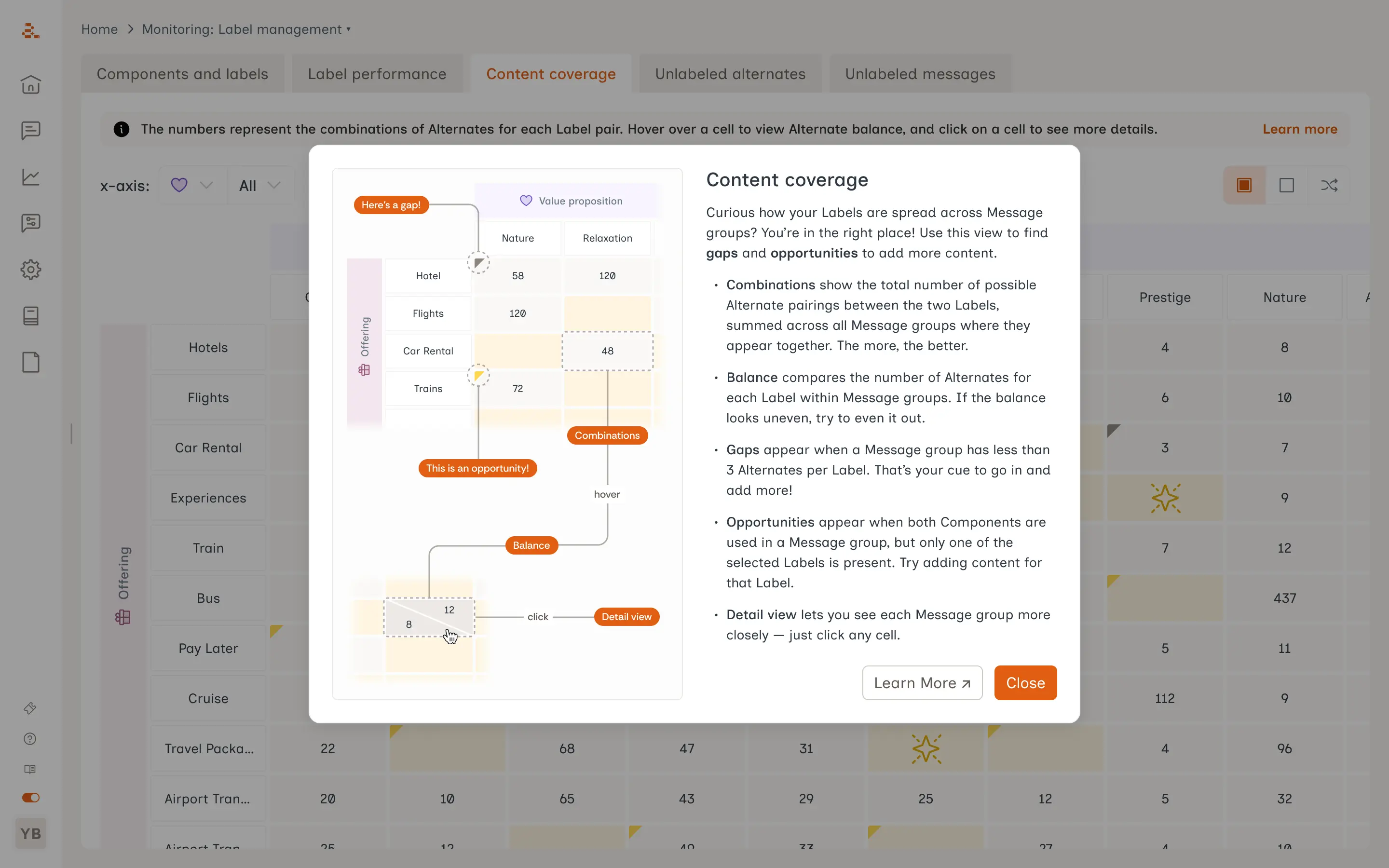
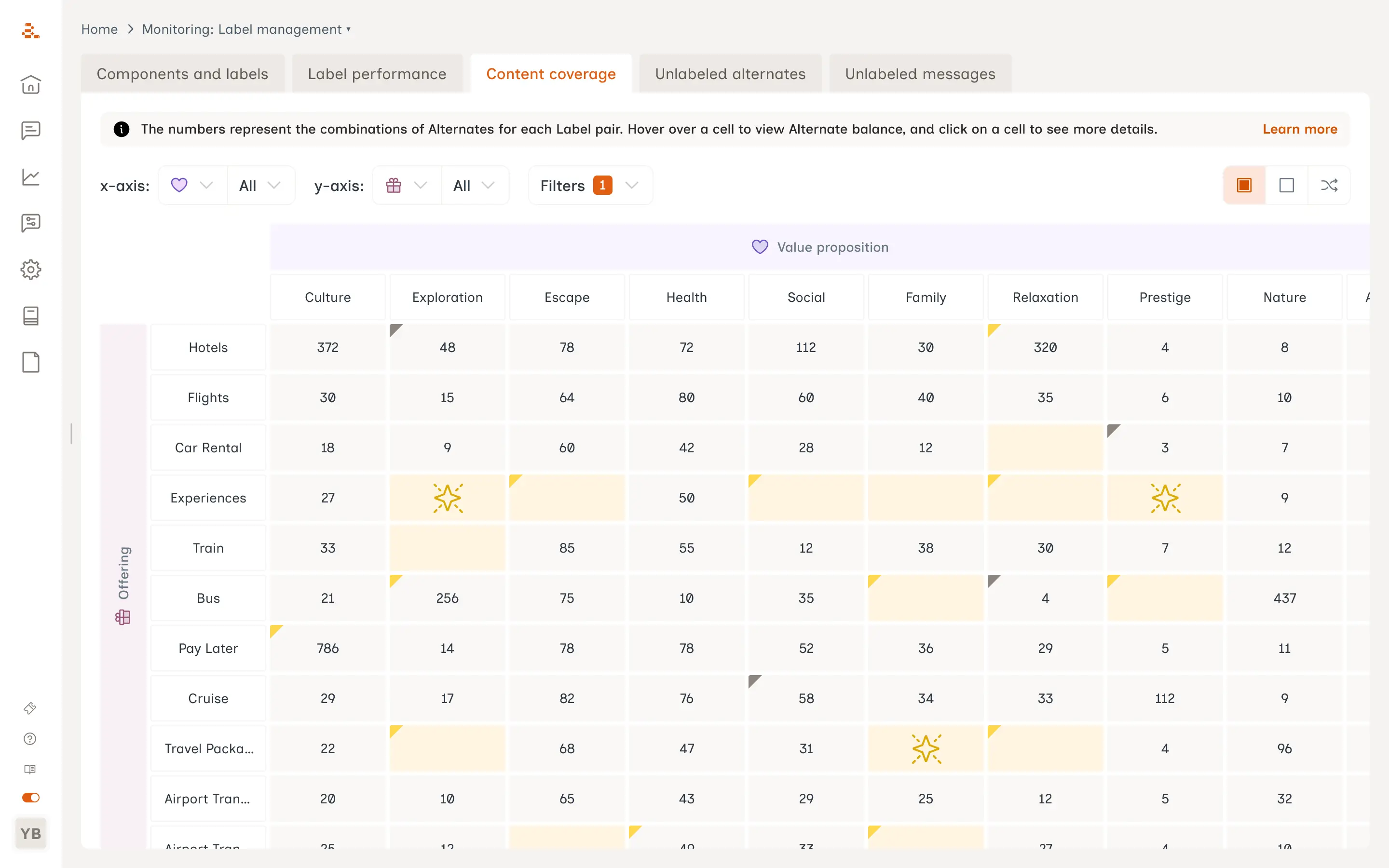
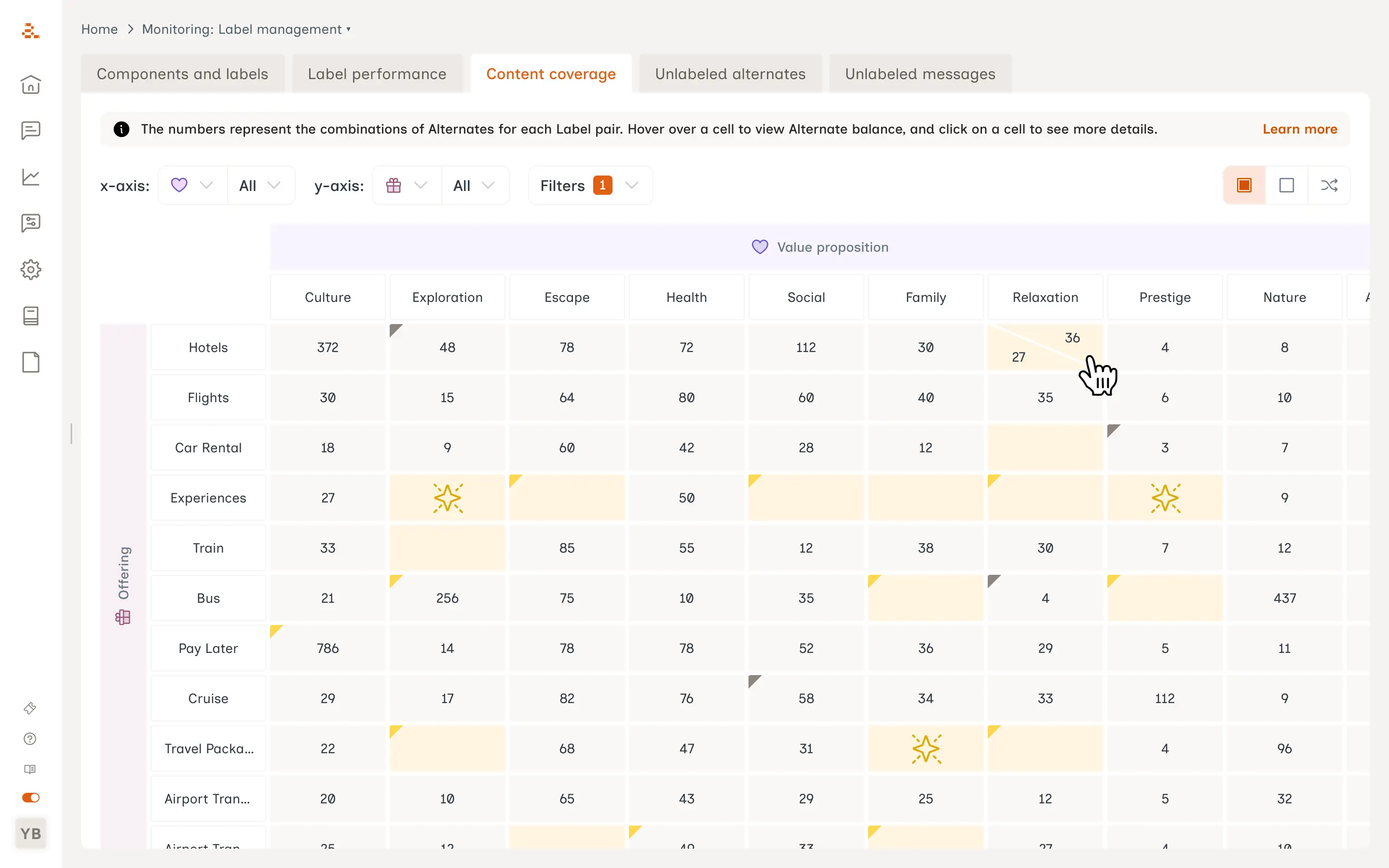
Aampe had a grid view showing how many message variations existed for each Label-pair combination. In practice it misled teams: a cell with 5 million variations looked the same color as one with 5,000. Teams saw green and assumed coverage was healthy. There were no filters, no way to spot imbalance, and no answer to the one question teams actually asked: what should I write next?
What is a Label pair? Messages in Aampe are built from components (a headline, a body, a CTA). Each component has multiple alternates, and each alternate carries a Label describing what kind of content it is (e.g. "Value Proposition: Quality" or "Offering: Gift Voucher"). A Label pair is any combination of two Labels across two components. The grid shows how many message variations exist for each pair, and where the agents have nothing to work with.
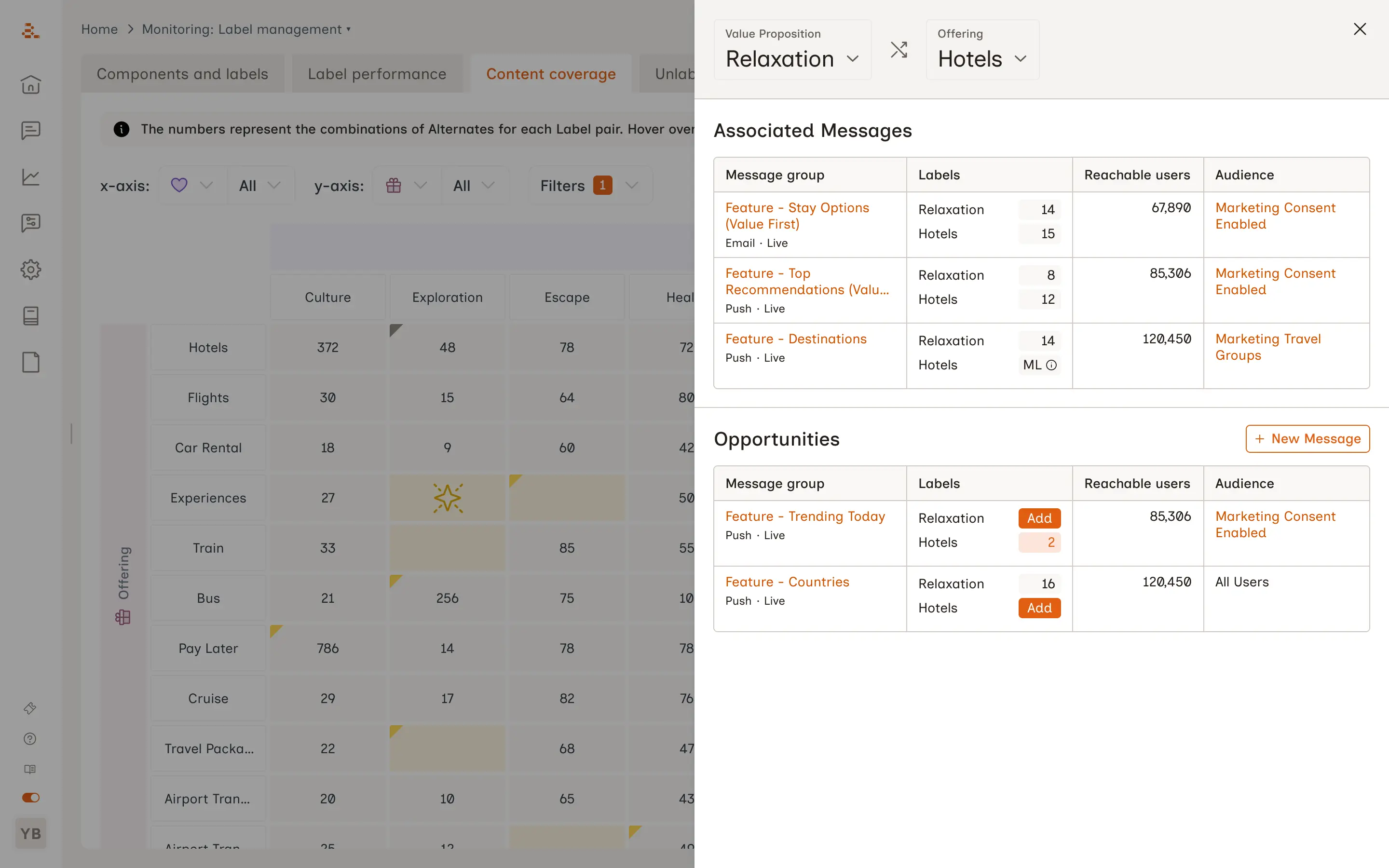
What we built
A Content Coverage view with two distinct cell signals – gaps and opportunities, a detail sidebar, and stackable filters, inline documentation, a scoring model for blank cells, and the top ranked opportunities on the dashboard home screen, giving teams a concrete answer to what to write next.
I'm a data scientist, and I had the chance to collaborate with Yash on a suite of products that bring together complex data infrastructure and user experience, which is the kind of work where design and data have to be in constant conversation. What stood out most was how he thinks. In a space full of ambiguity — we were exploring how CRM could work in an agentic context, which meant few established patterns to lean on — Yash had an extraordinary ability to take fuzzy problem spaces and turn them into clear, concrete design decisions. He also brought genuine conceptual contributions, including a reframe of how users could think about agentic CRM that sharpened the whole team's direction.
From a collaboration standpoint, he was exactly who you want on the other side of a cross-functional pairing. He came with well-formed questions and suggestions. He also took full ownership of delivering a high-stakes feature (a content recommendation feature in our customer-facing UI) and drove it from ambiguous idea to shipped product. This was a much-needed, game-changing feature, and Yash kept it moving and improving. I feel so fortunate to have worked with him and would work with him again without hesitation.
Eleanor Hanna
Senior Data Scientist
Figma Plugin
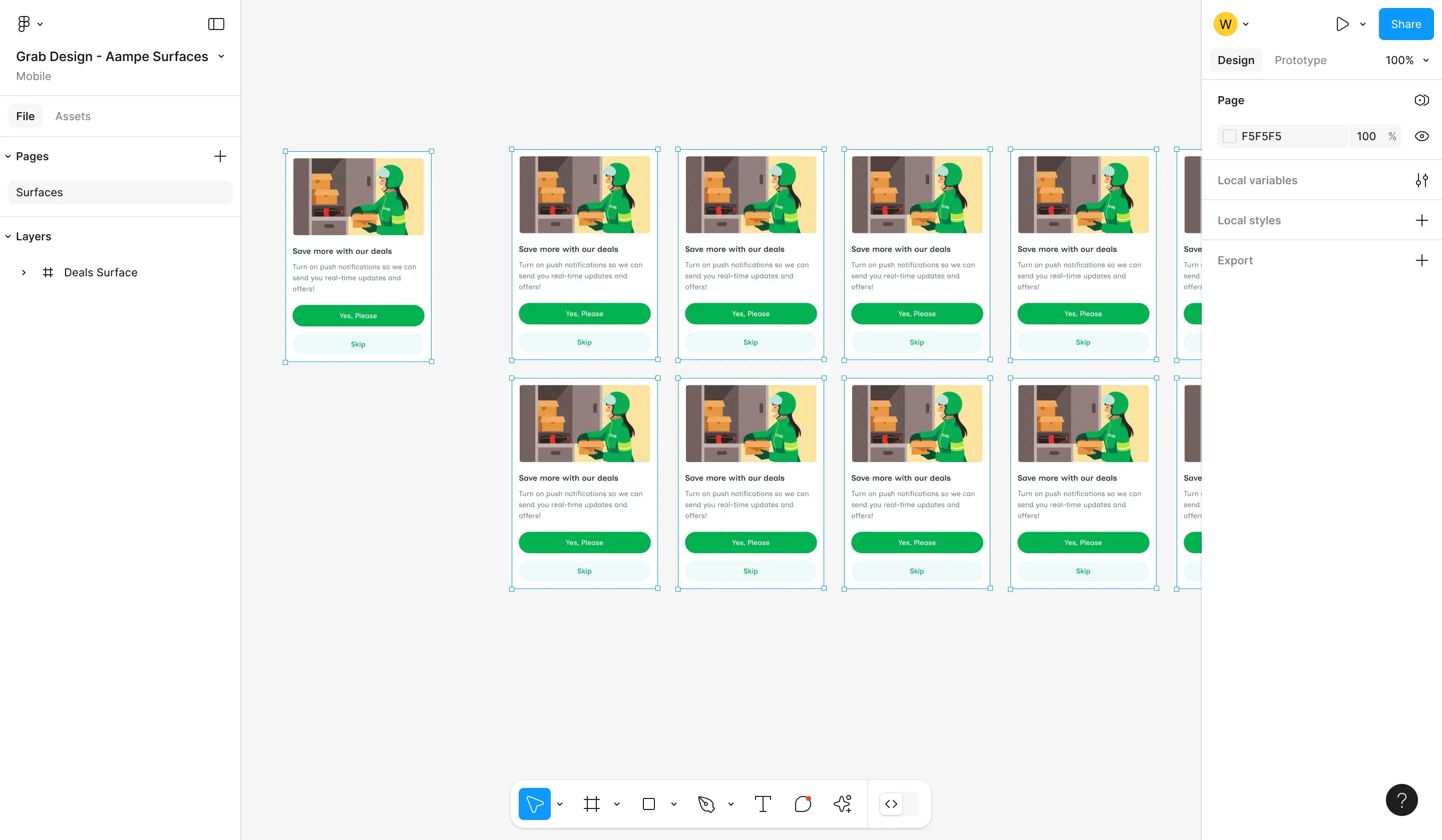
Aampe has a Figma plugin for creating personalization surfaces (any location in an app where Aampe delivers content) without leaving the design tool. The plugin handled creation but not preview. Designers were building containers without being able to see what would live inside them: which message combinations, which content variations, whether everything rendered cleanly.
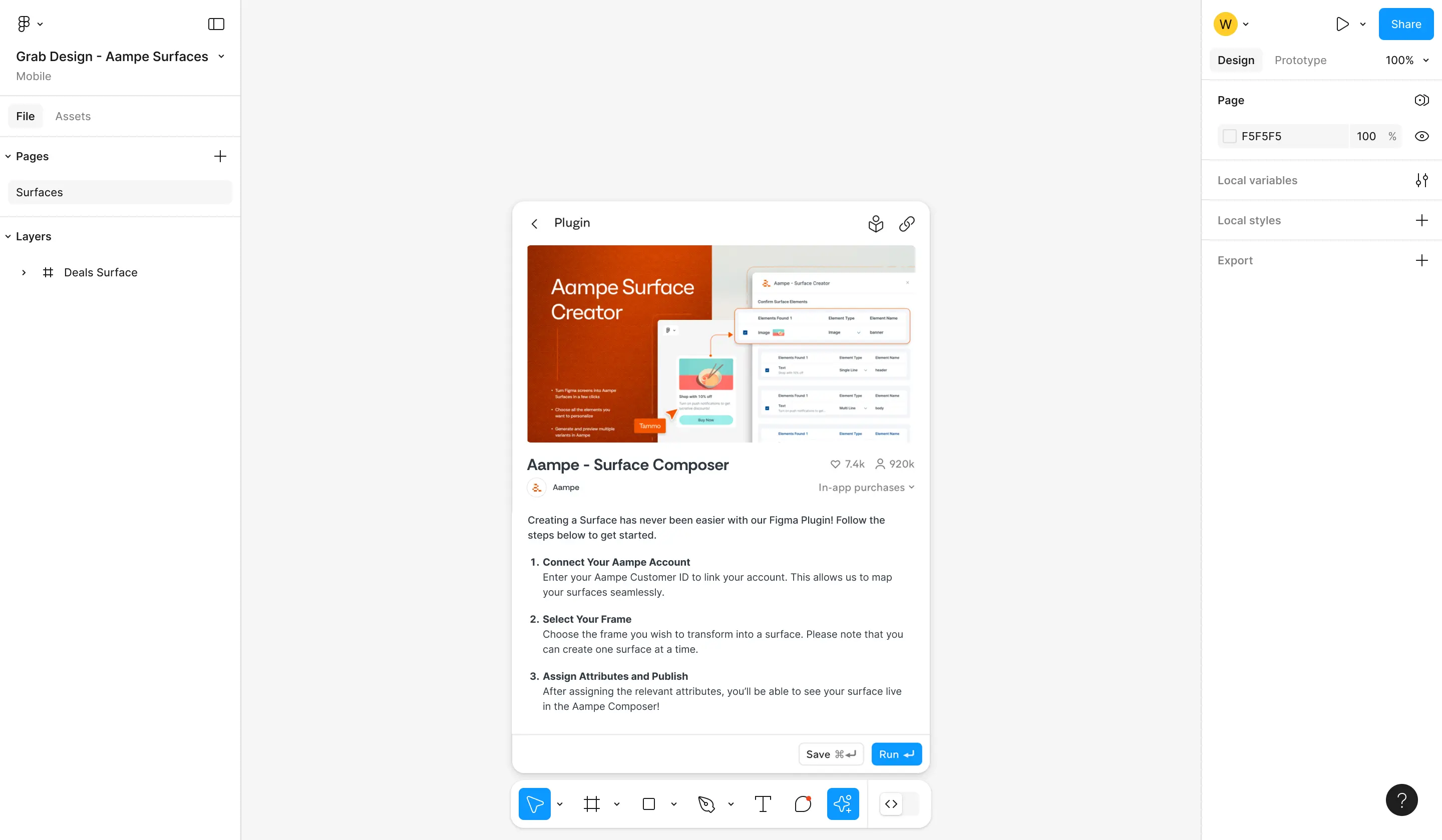
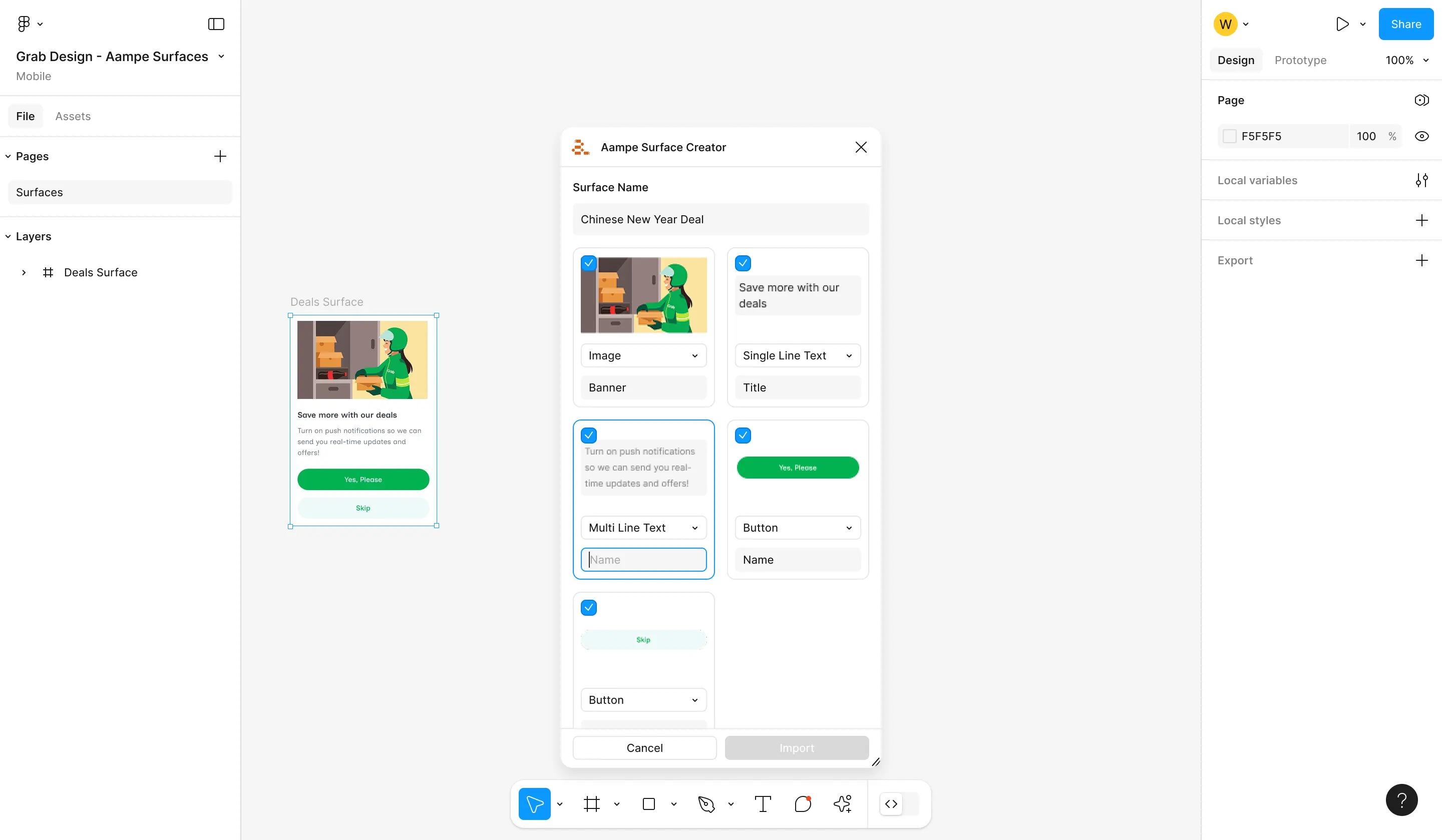
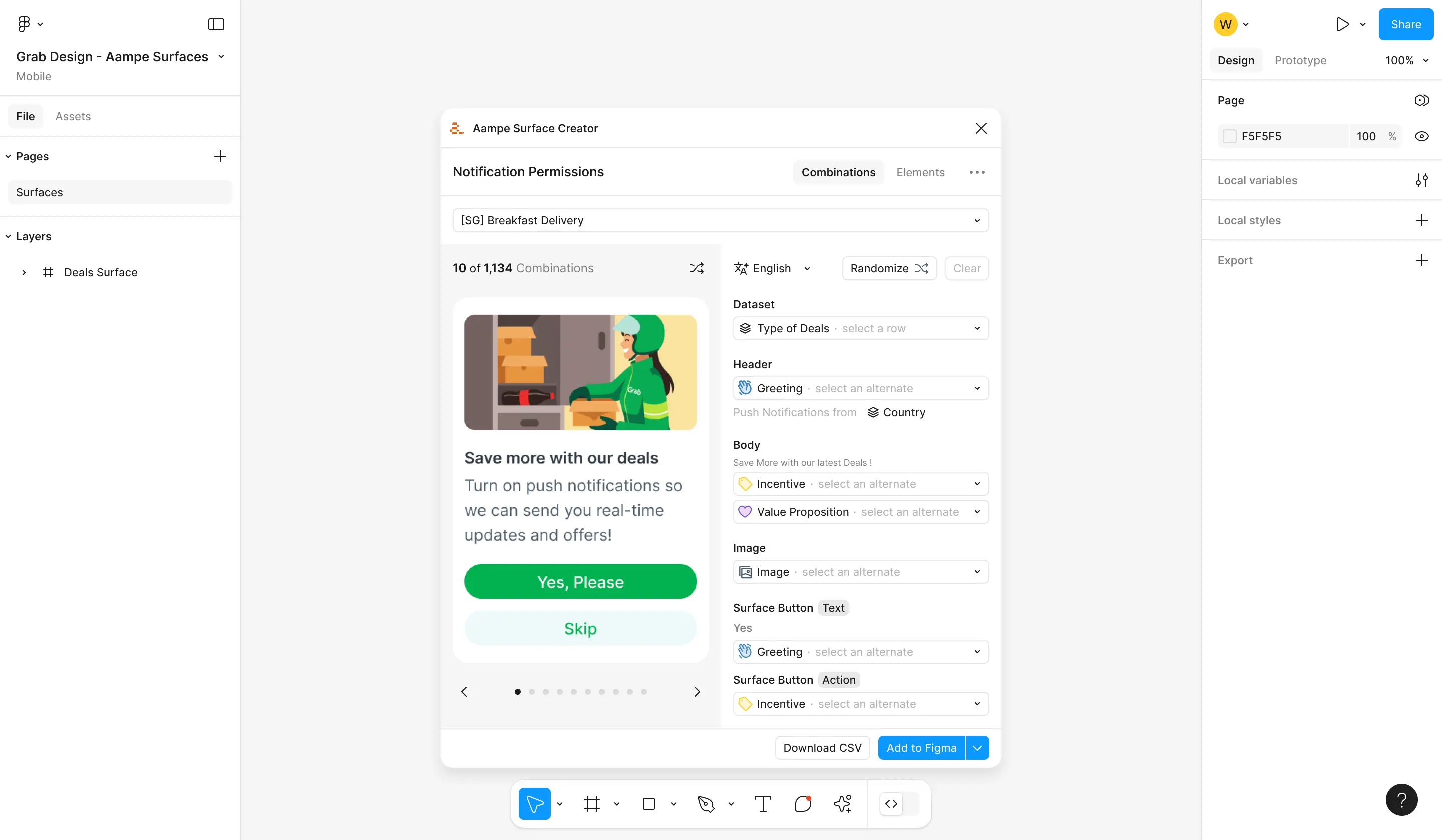
What we built
Message combination preview directly inside Figma, auto-detection of element types, and a Figma UI3 design system update. Designers can step through alternates and dataset values without opening the Aampe dashboard. A follow-up sprint consolidated usability fixes across both releases, making the plugin feel like one coherent tool.
Composer NX
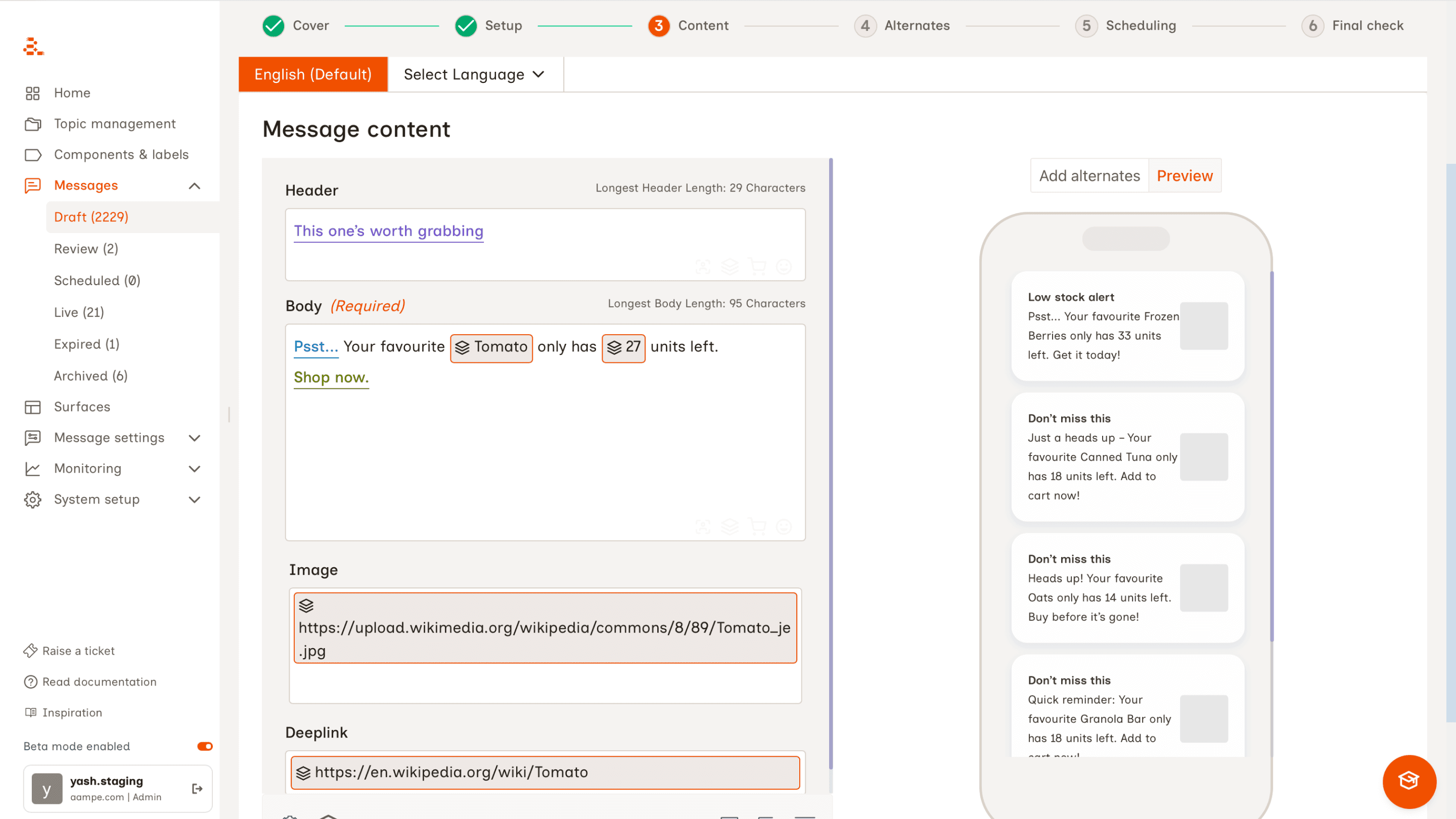
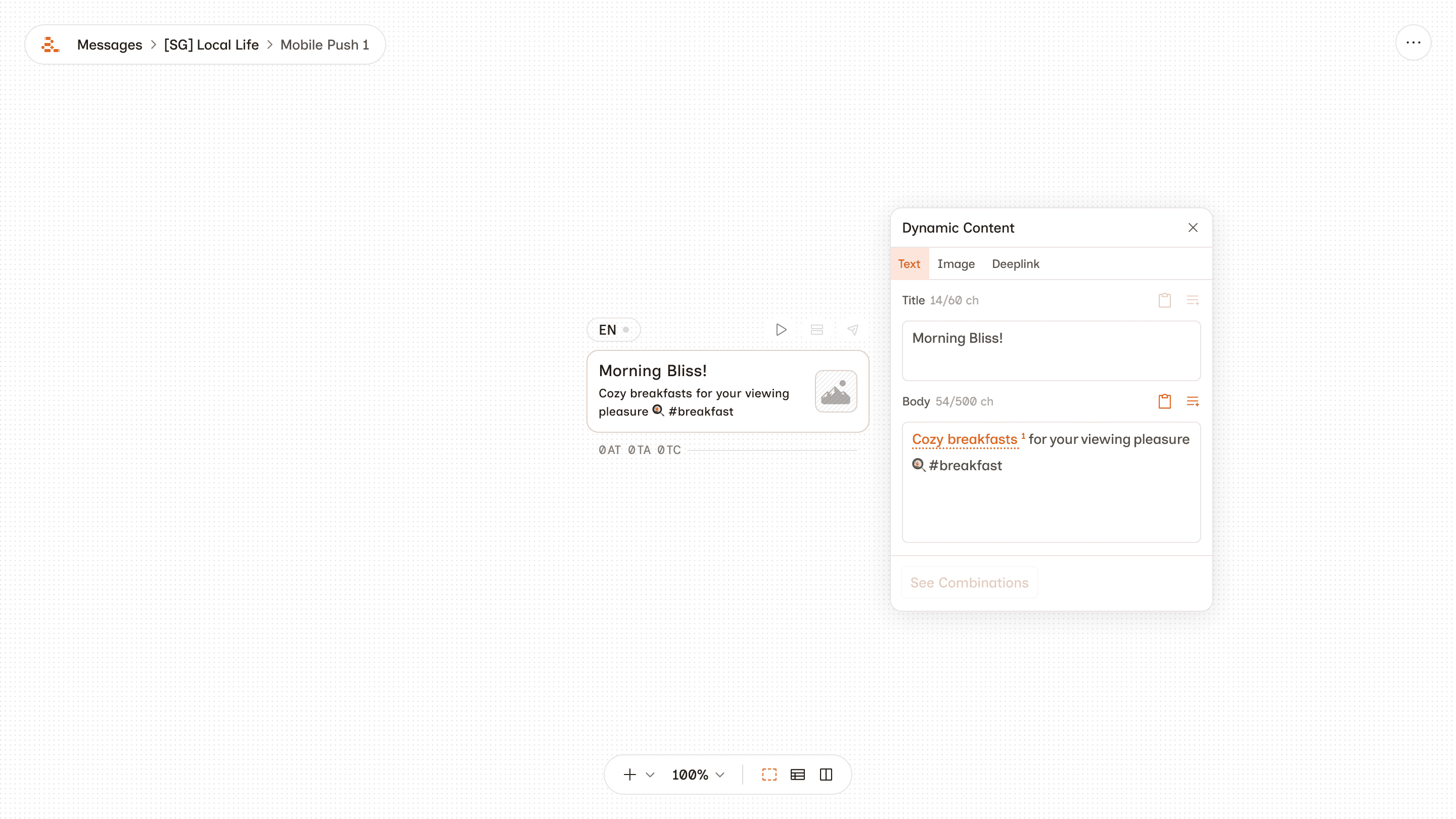
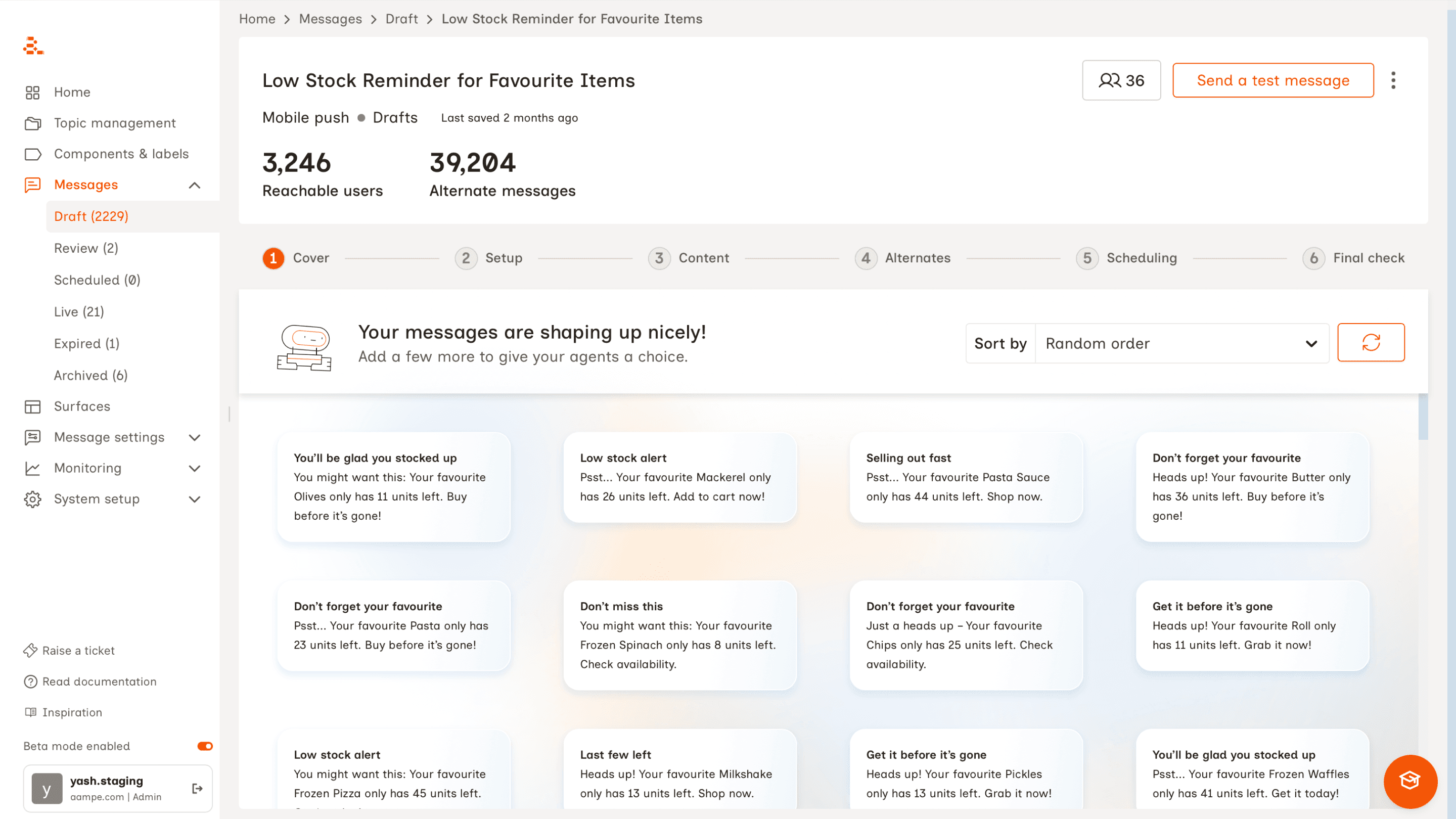
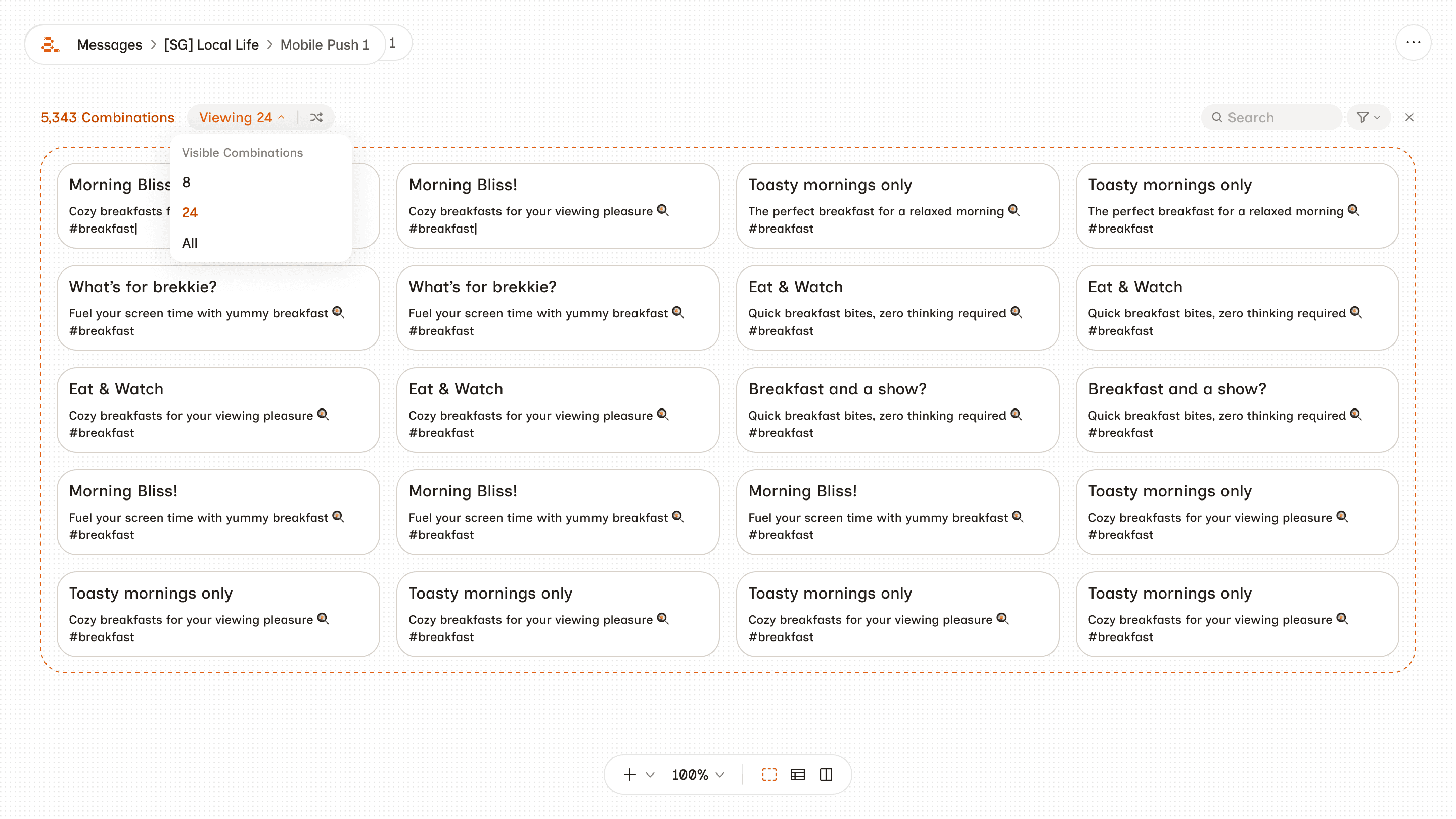
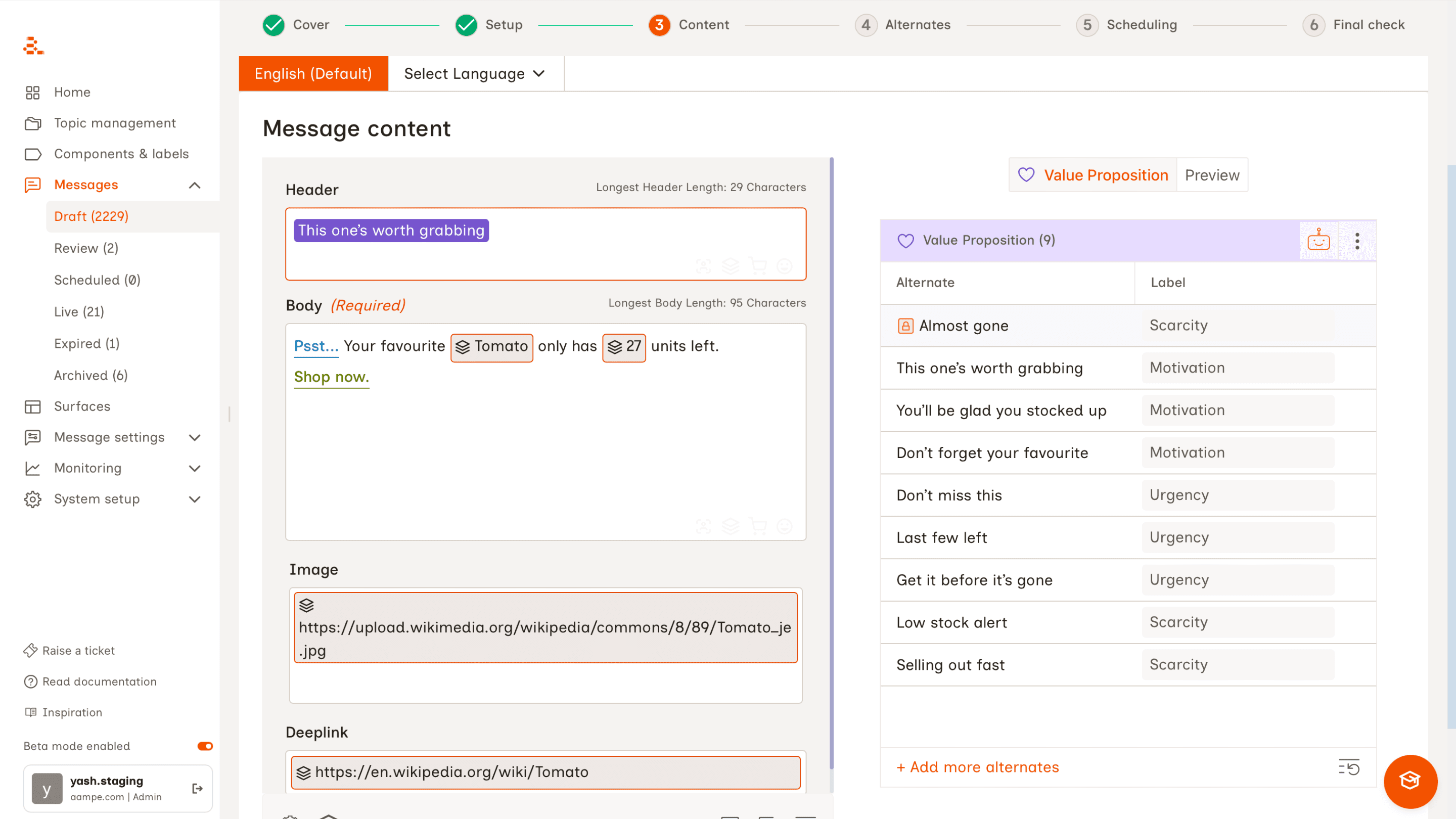
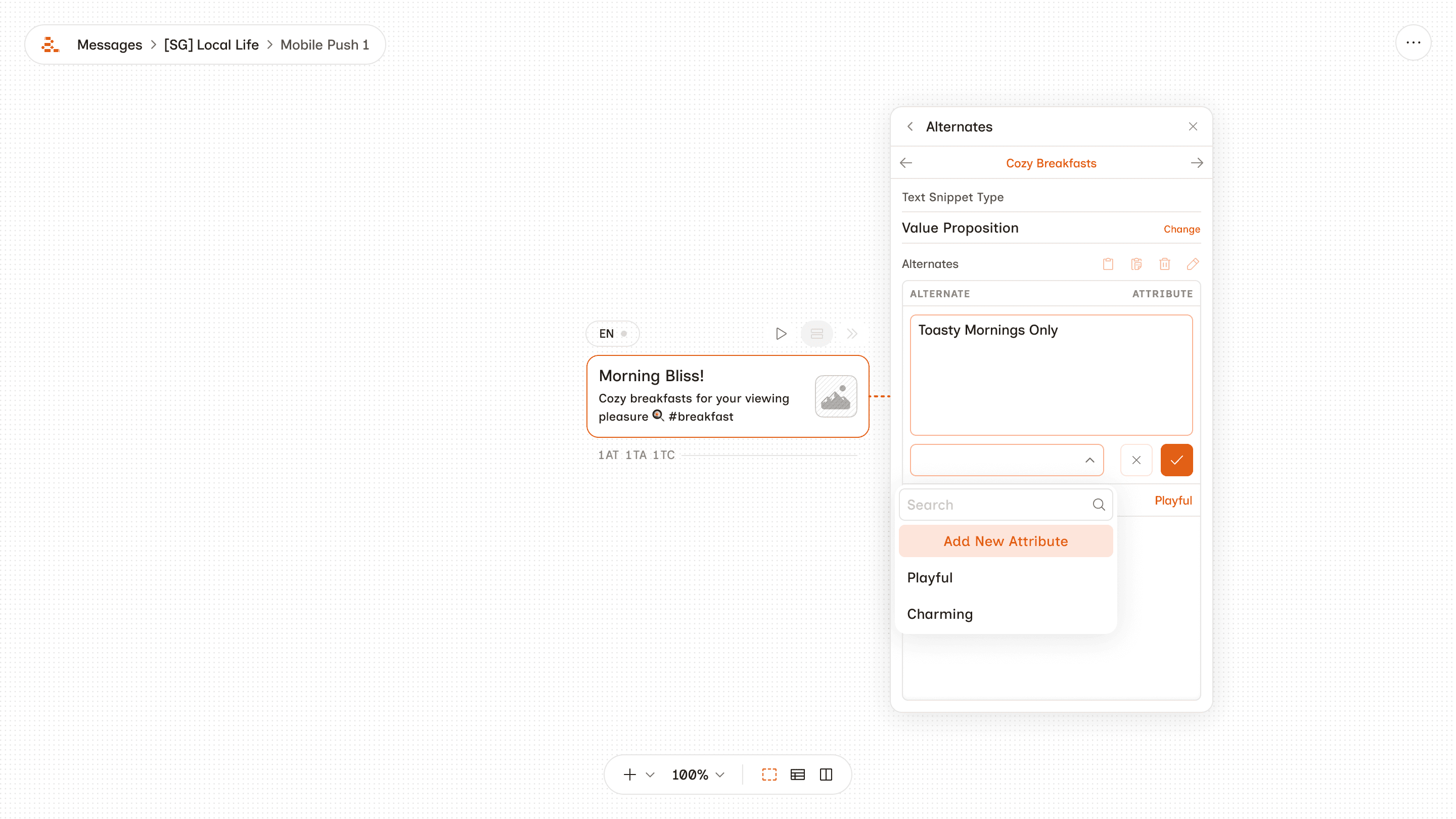
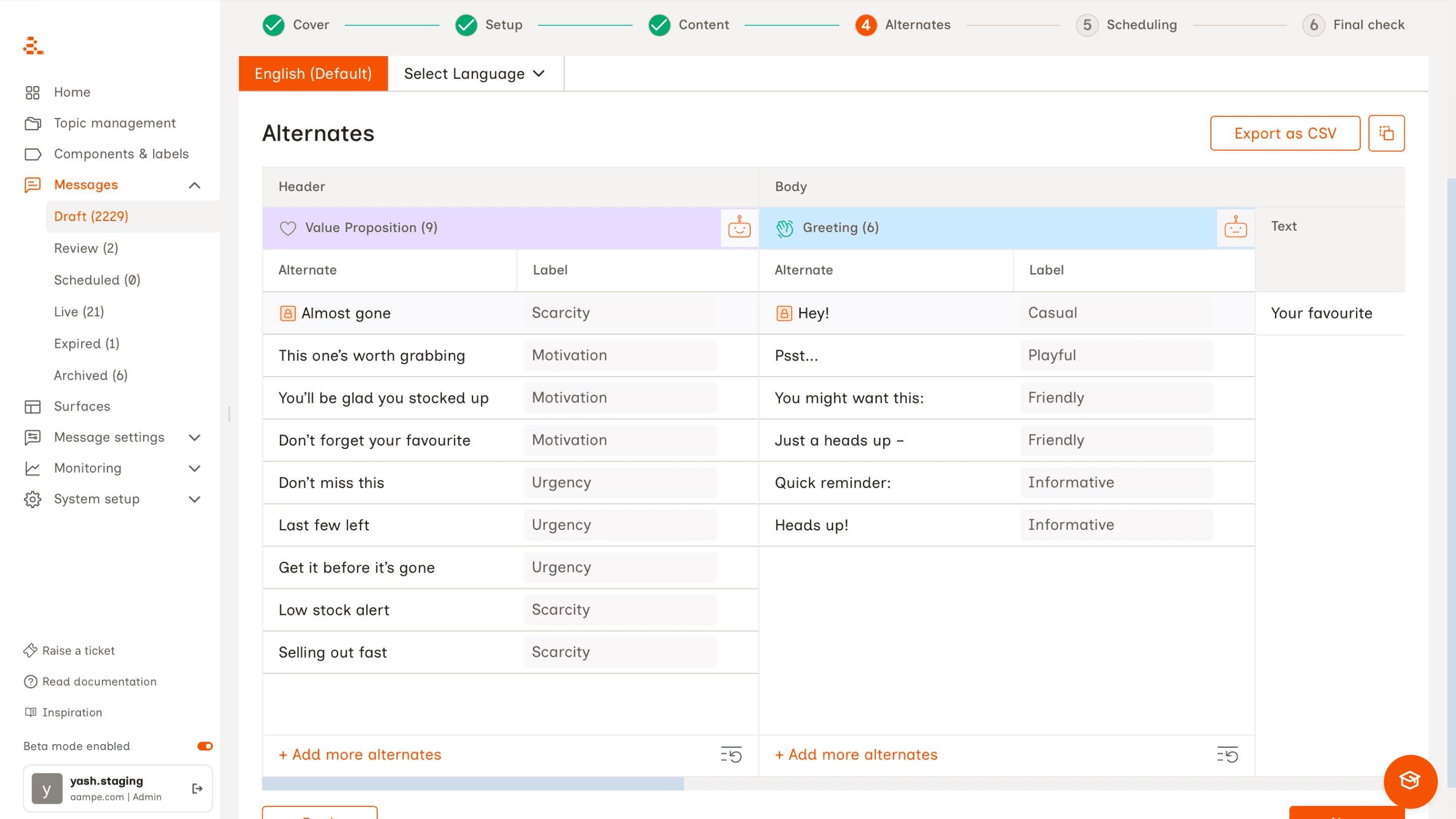
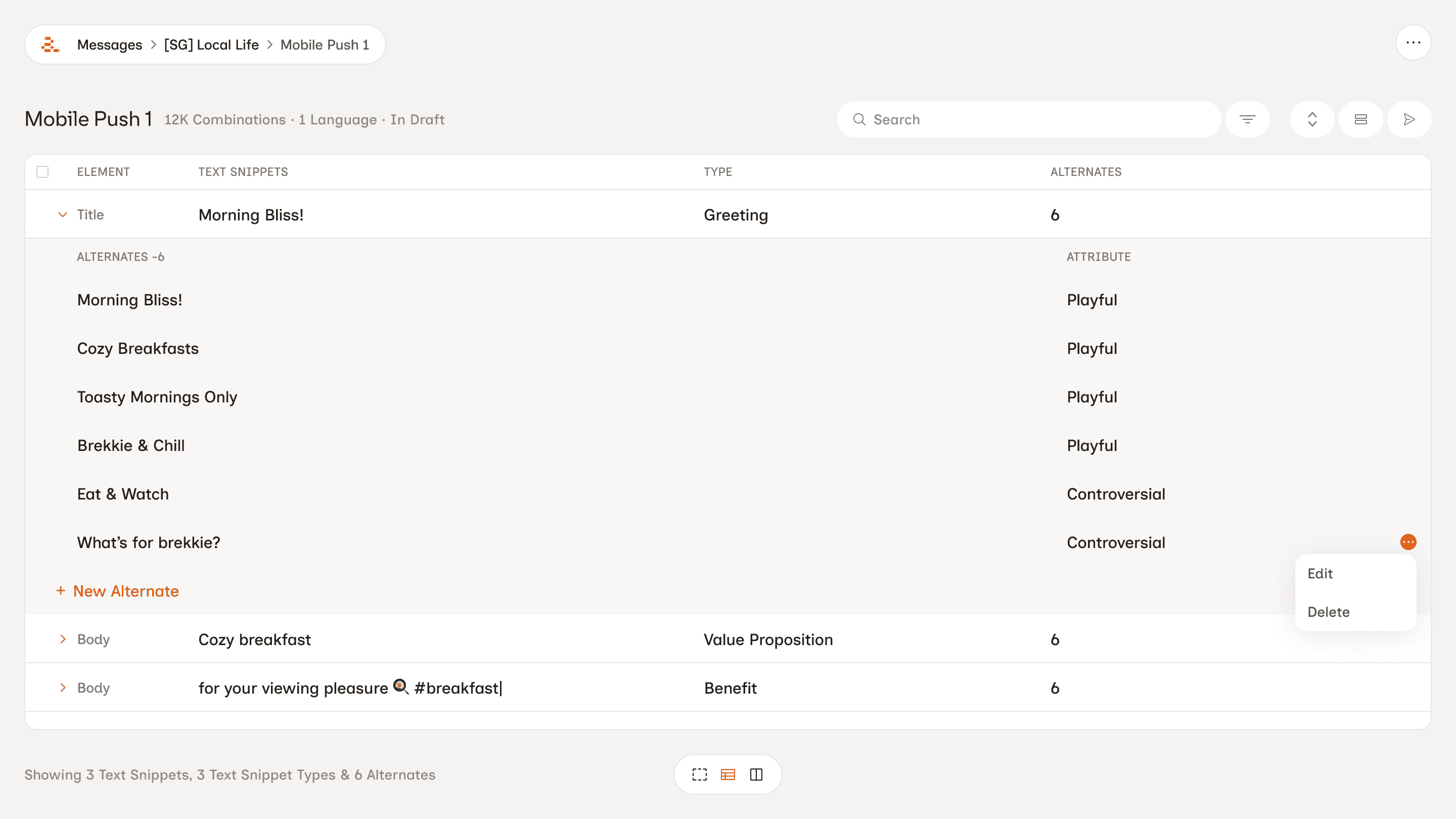
A ground-up rebuild of Aampe's Composer, the web app where customers build messages, manage content, and read performance data. Where the existing Composer organised work around individual messages in a list view, NX introduced a canvas-based interface where messages live as nodes inside workflows. Teams can see how their messages relate to each other, configure audiences and scheduling, and move between creating, testing, and activating without switching contexts.
What we built
As a design team, we reconceptualised the core workflows from scratch. The canvas interface replaces the list view with a node-based layout where each message is a configurable object – selectable, expandable, and connected to its broader workflow. We explored multiple approaches to the create / test / activate flow (mode switchers, node panels, side panels) before landing on a direction that keeps message-level control intact without collapsing into a one-message-per-workflow workaround.
Dataset Labels
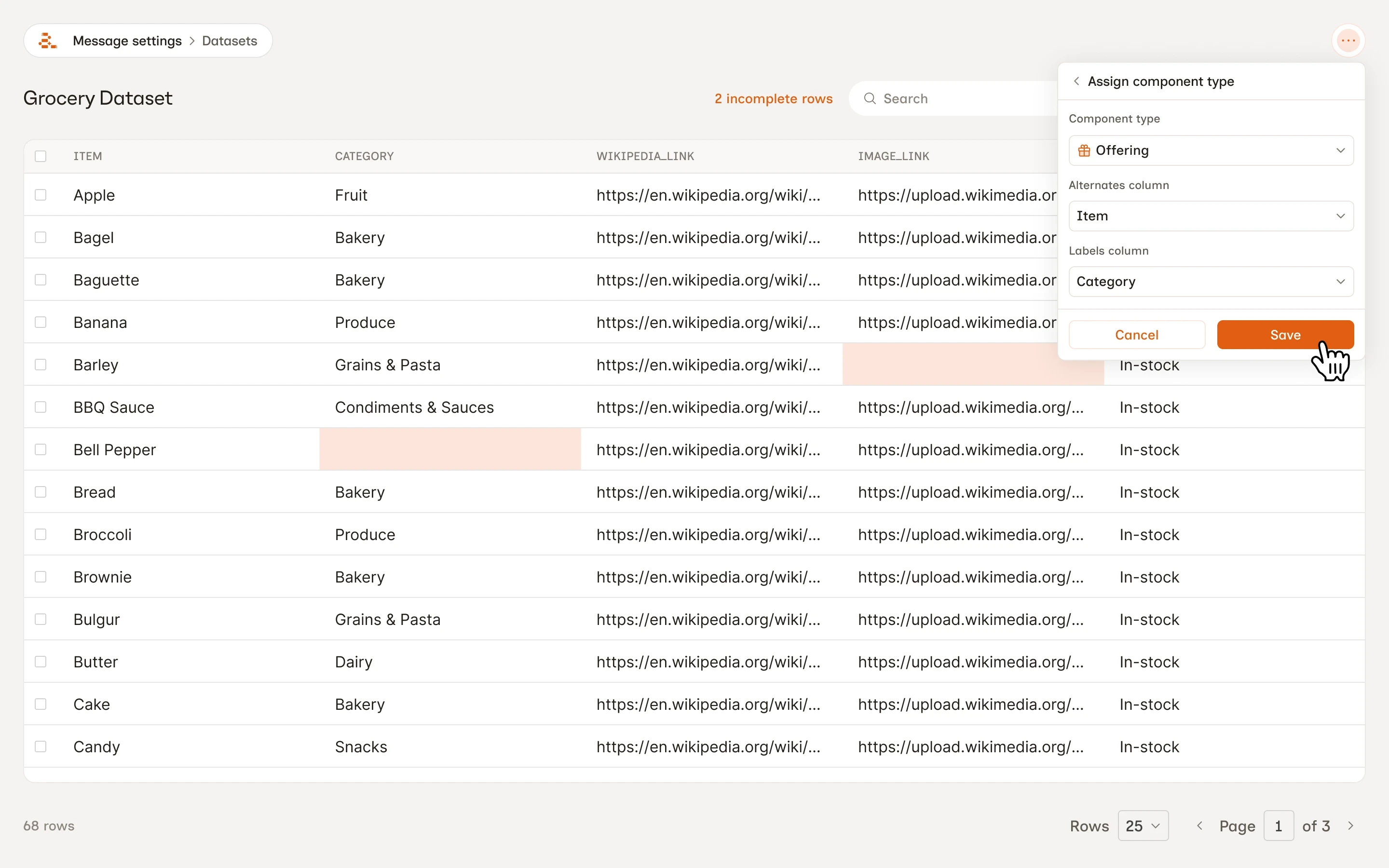
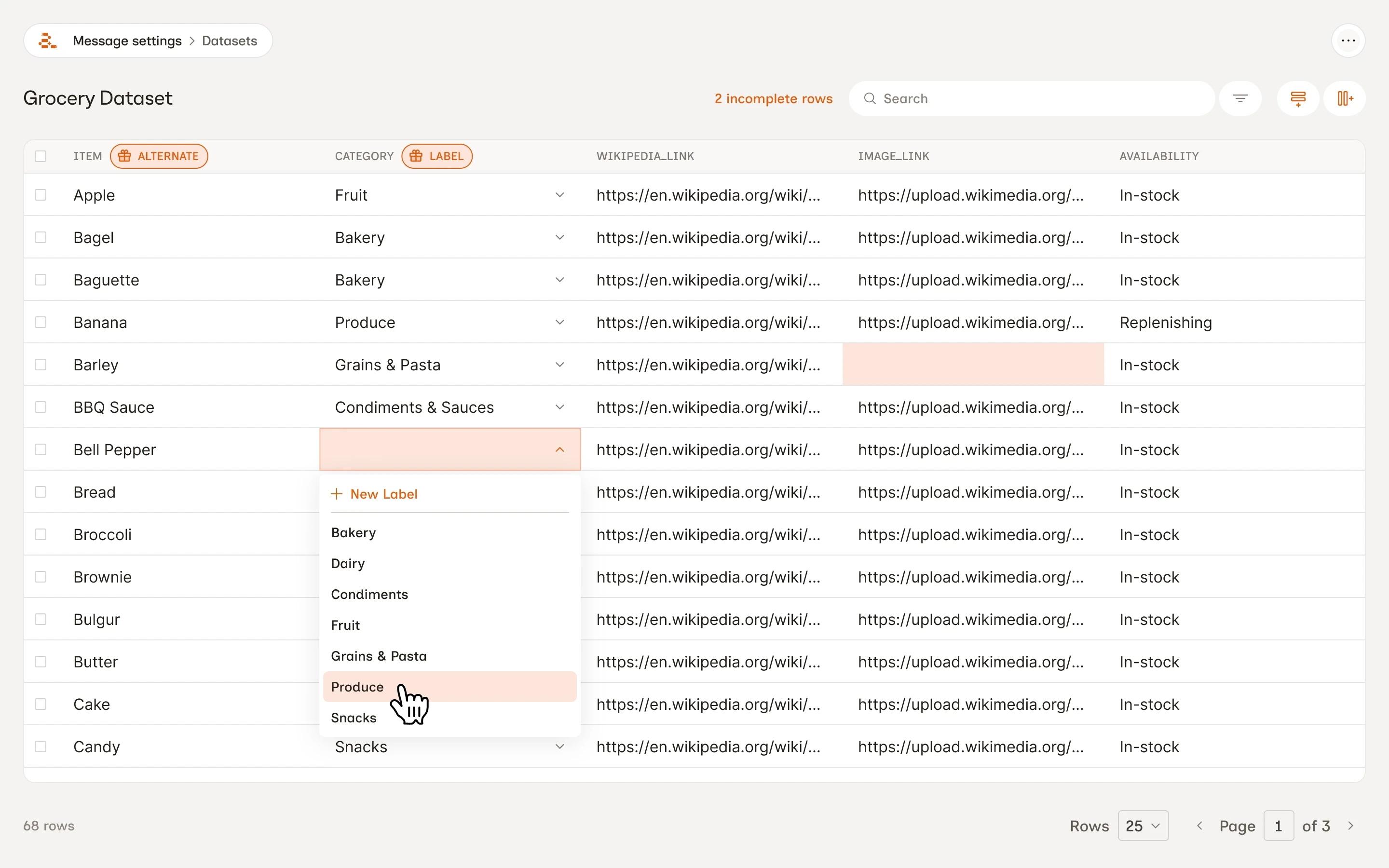
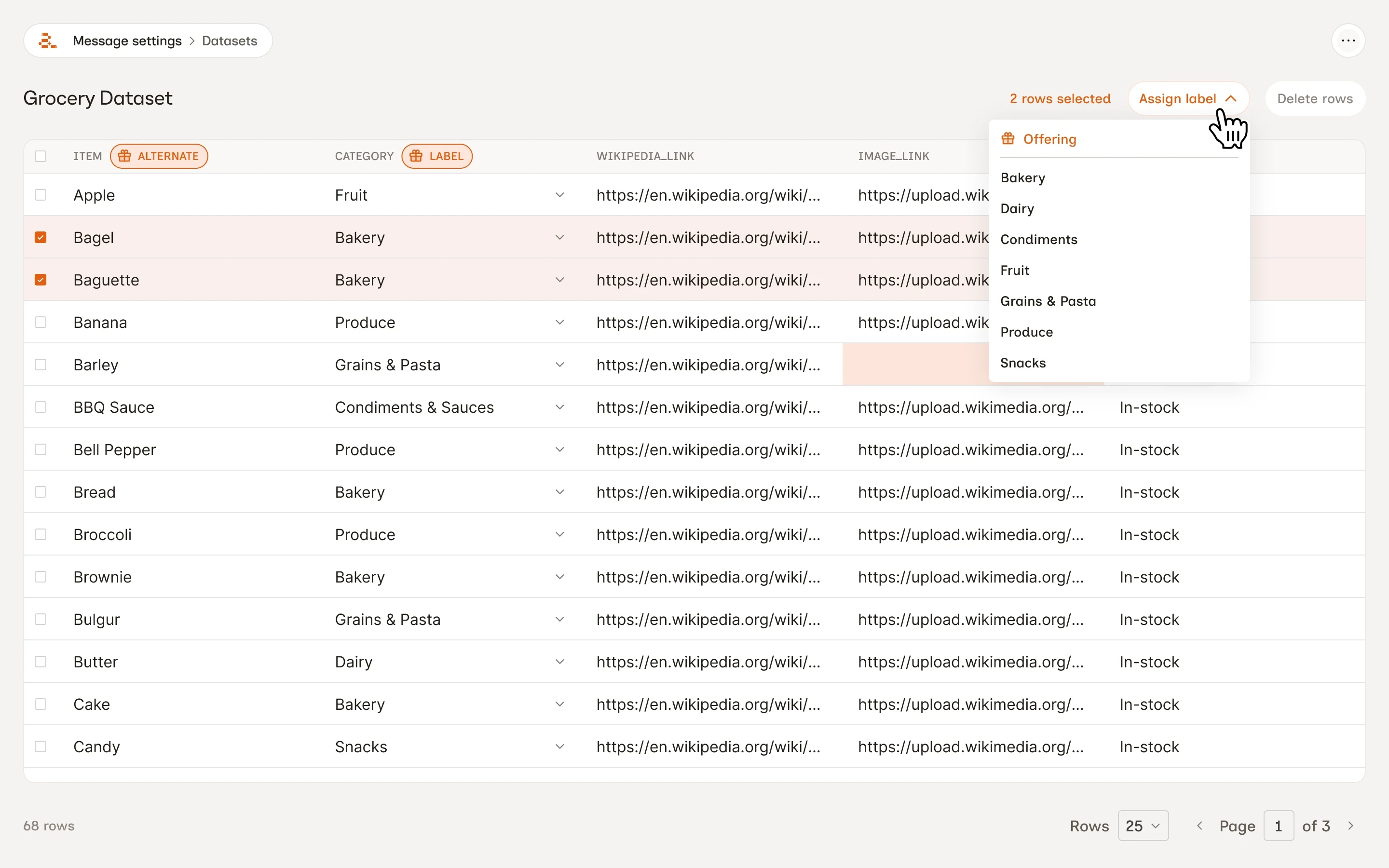
Aampe's agents learn from Labels, tags on content that tell agents what kind of message is being sent. Large volumes of external content were being uploaded through datasets without any label structure. That content rendered as text but was invisible to the learning system. The more teams uploaded without labels, the wider the blind spot grew.
What we built
A complete dataset labeling system: column-level component type assignment, bulk label assignment in the dataset table, the label structure carried through CSV upload, and an incomplete-row indicator so teams can see at a glance how much of their dataset still needs labeling. Labels from dataset components are visible in the message editor as well.
Email Templates
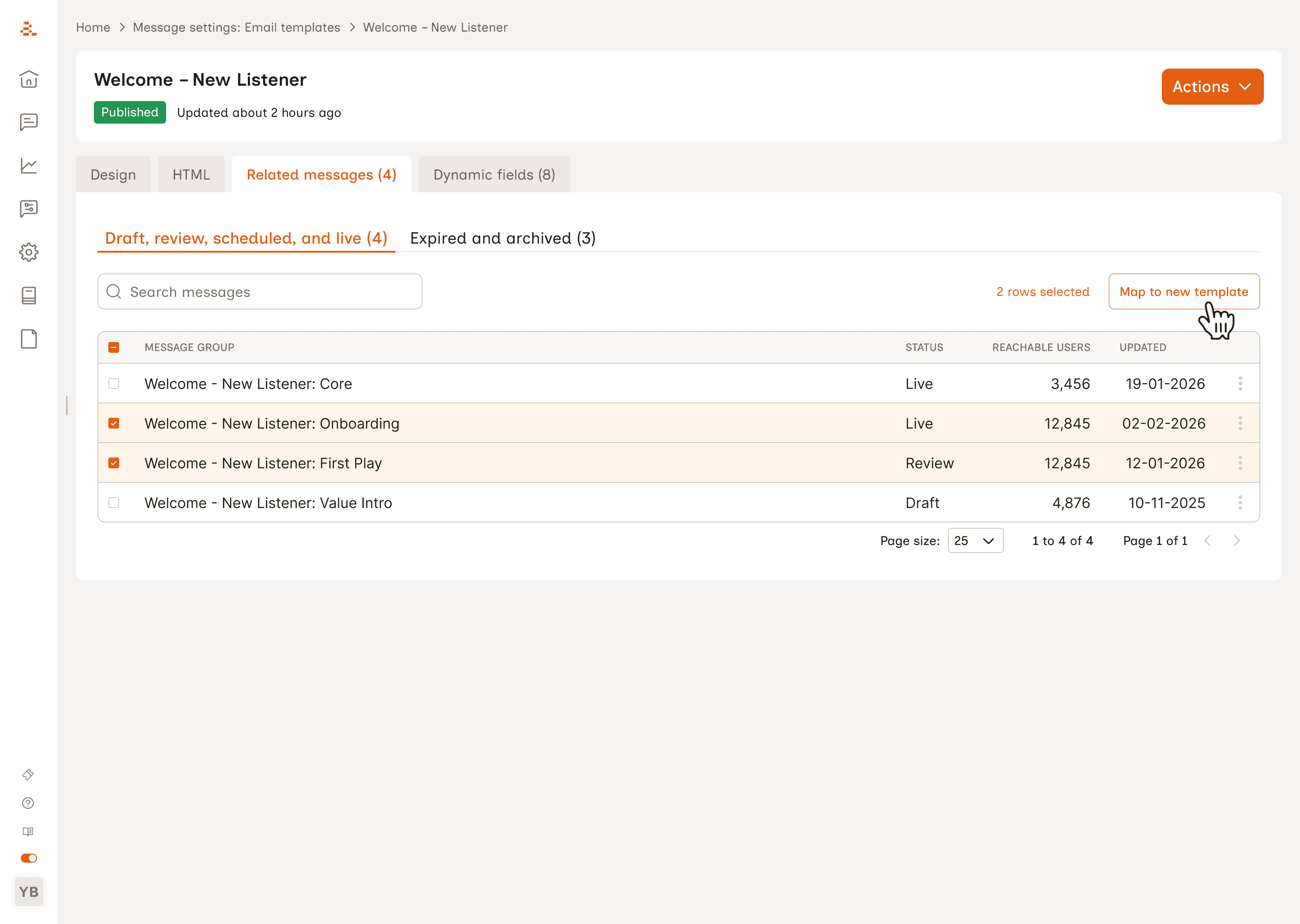
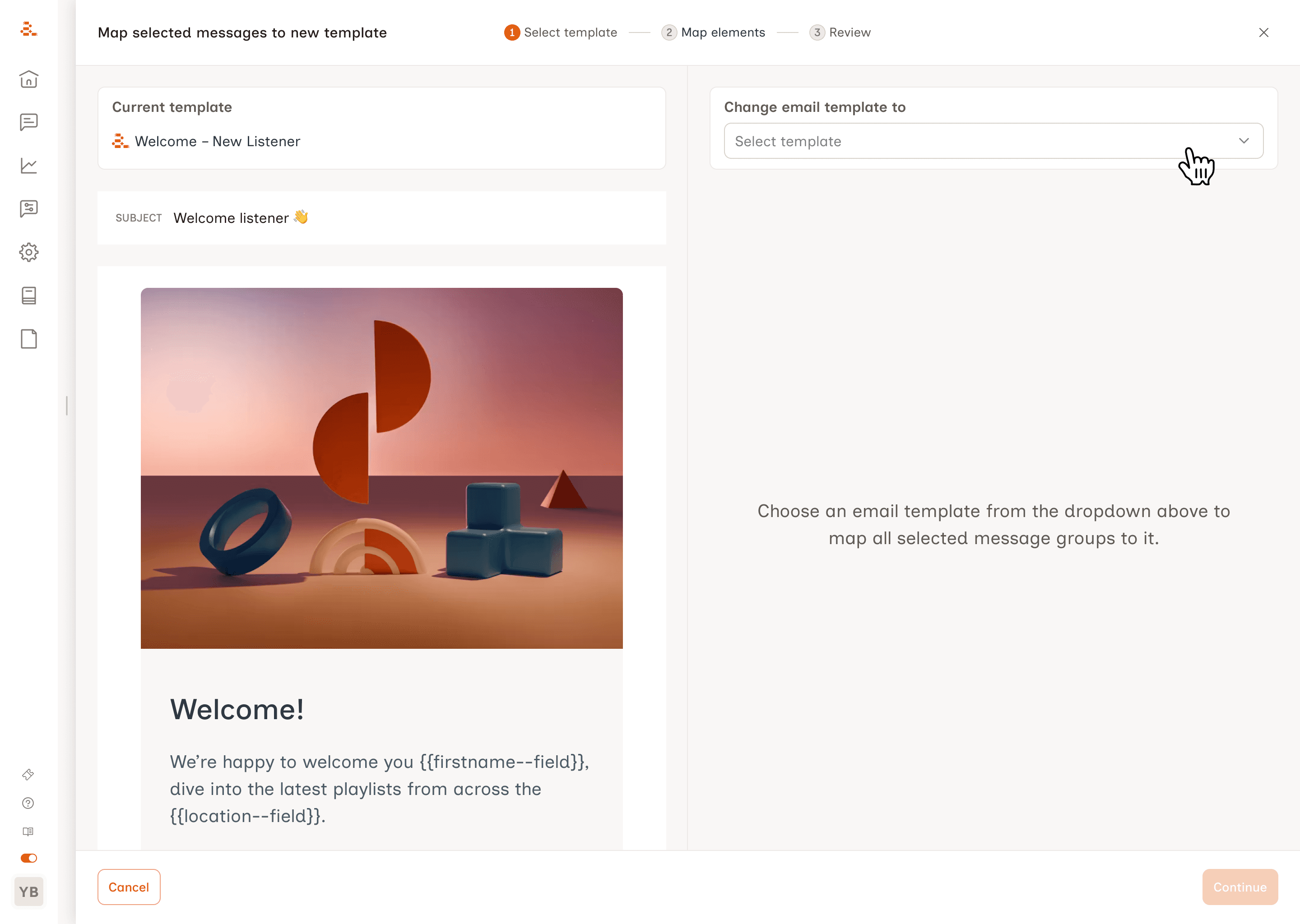
Email templates in Aampe were strictly coupled to their messages once published. A team that spotted a typo, updated a brand footer, or wanted to switch templates would have to create a brand new template and remap every attached message manually, one at a time. Template libraries filled with duplicates. For teams managing large volumes of email messages, the maintenance cost was significant.
What we built
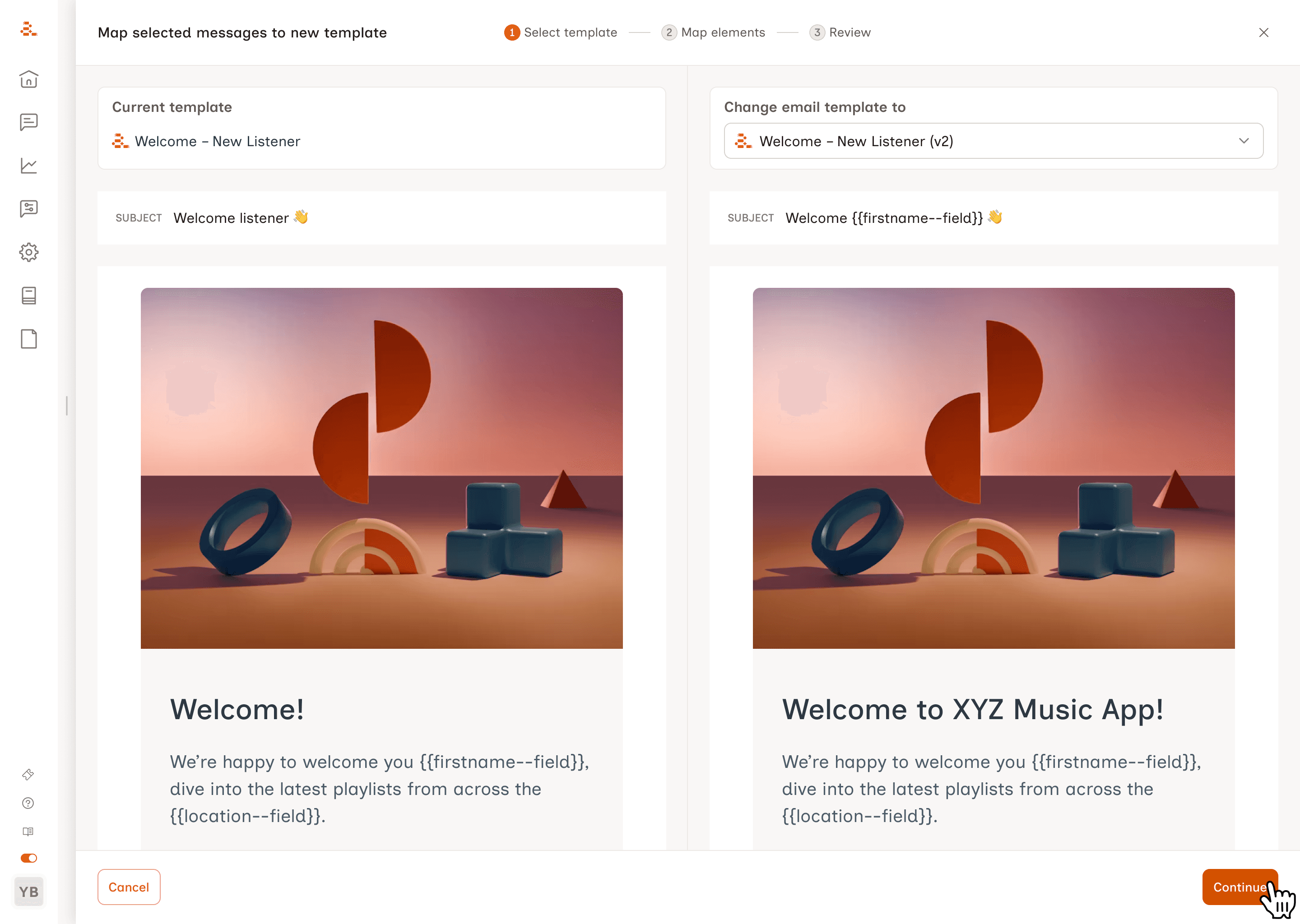
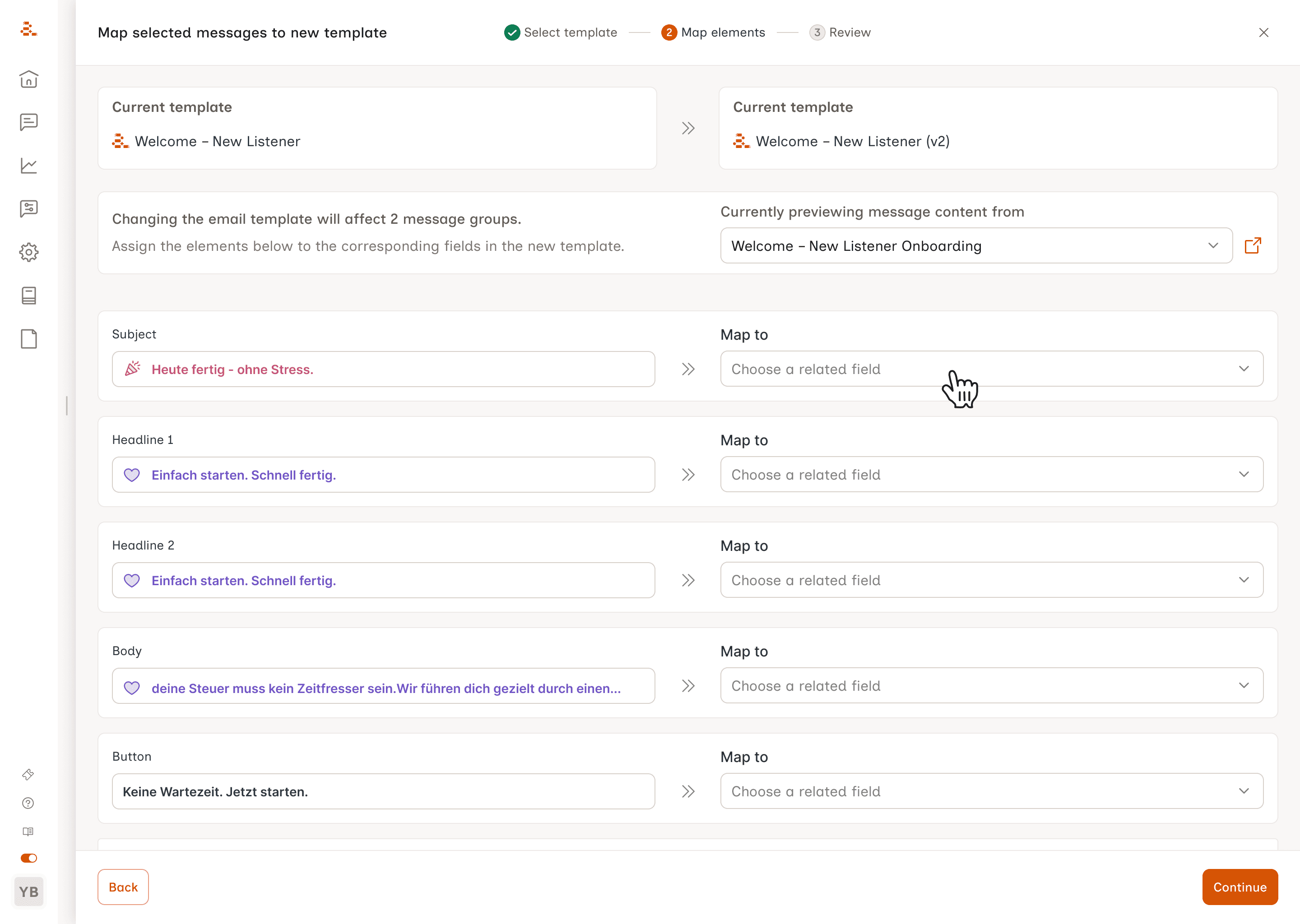
A full template lifecycle with archive, clone, and move-to-draft actions across draft, published, and archived states. A three-step bulk remapping workflow lets teams switch templates across multiple messages in one flow, with an inline preview of how content maps across templates at each step and a confirmation table before any changes are committed.
Process Contributions
Most designers are consumers of product specs. At Aampe, I wrote them.
Aampe follows Shape Up, which means features start as pitch documents before a single line of code is written. A pitch defines the problem, the appetite, what done looks like, and explicit scope boundaries. Writing pitches rather than reacting to them changes how you think about product: you have to understand the problem well enough to draw a boundary around it.
Voice of Customer Sync
A recurring cross-functional ritual for bringing customer pain points directly into the design process. It ran bi-weekly with a structured format: pre-session theme selection, async pain point collation, and severity and frequency tagging. Outputs fed directly into pitch shaping. I created the format from scratch and ran the sessions.
Pain Depot
A FigJam board that clusters customer pain points from Slack and CS calls into themes, maintained across sprint cycles. It functions as the feed for the VoC sync and as a reference when shaping new pitches, so customer feedback has a clear path into the product process rather than disappearing into Slack threads.
Yash was the second designer I hired at Aampe. What stood out: how clearly he could frame a problem. He didn't just jump to solutions. He'd take a fuzzy brief, break it down, scope it, and come back with something coherent. That's rare, especially when the temptation to skip thinking and go straight to visuals is real.
Yash owned his work. He'd flag blockers early, ask the right questions, and get things done. All while being a strong collaborator. Easy to work with, thoughtful in feedback, willing to pitch in.
If you need a designer who can hold their own in complex conversations, work independently, and still show up as a team player, Yash is that.
Madhuri Maram
Product and Design